The Layered Earth will be your guide to the exciting world of geology. Here is a quick tour of important features.
Using The Layered Earth
Review this section carefully. You will need to be familiar with these features to be able to complete the lessons successfully.
The Layered Earth screen is divided in two panels. The right panel, called the Main View, is your current view of the Earth. The panel on the left gives you access to the student lessons. This panel is called EarthGuide.
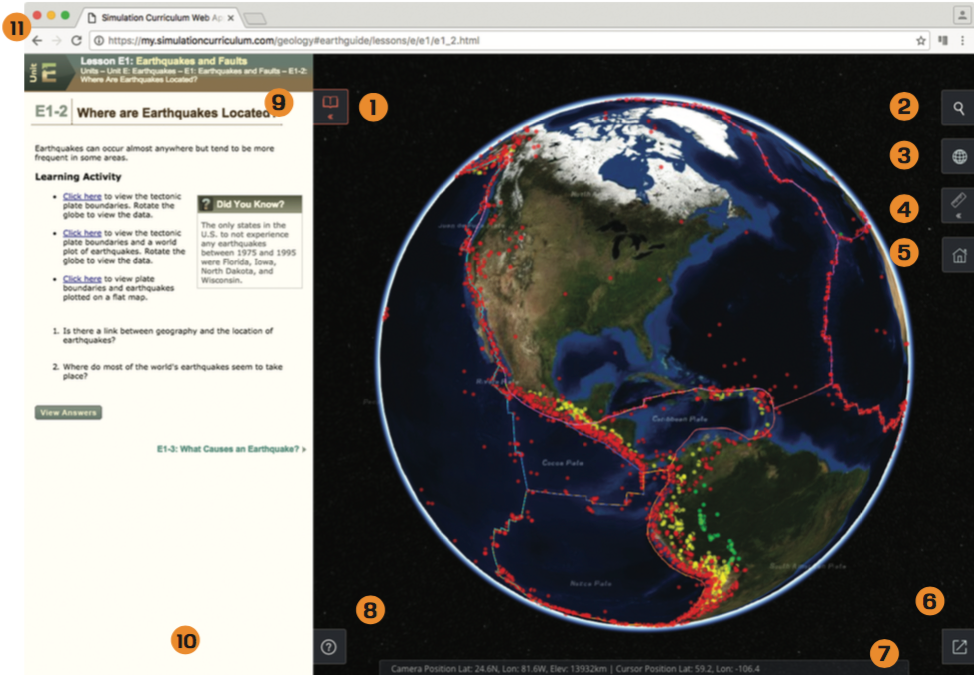 The main features of The Layered Earth.
The Main View
- Opens or closes the EarthGuide panel.
- Search allows you to quickly find specific locations on Earth.
- Globe View allows you to select between different map projections.
- The Measurement Tool allows you to measure a distance or area size. Click the Measurement Tool to select between Line, Square, Circle or Polygon measuring tools.
- The Home button returns to your initial view of the Earth.
- Full Screen Mode makes The Layered Earth occupy the entire screen. Press the Escape (ESC) key to exit full screen mode, or click the Exit Fullscreen Mode button that appears in the lower right of the Main View during full screen mode.
- The Status Bar displays the current position of your view and the current position of your cursor.
- The Help button provides a handy visual guide for manipulating the globe when using a mouse or touch.
EarthGuide Panel
- Each page in EarthGuide includes a Path that shows where you are and the way back to the main page. Click these links to navigate through EarthGuide.
- At the bottom of each page, you’ll find a link to the Next Page in the lesson.
Web Browser Controls
- You can use the Back/Forward buttons on your web browser to navigate EarthGuide. Reload will refresh the page.
The Lessons
The lesson are divided into seven units. Each unit is focused around a few Big Ideas that summarize key concepts.
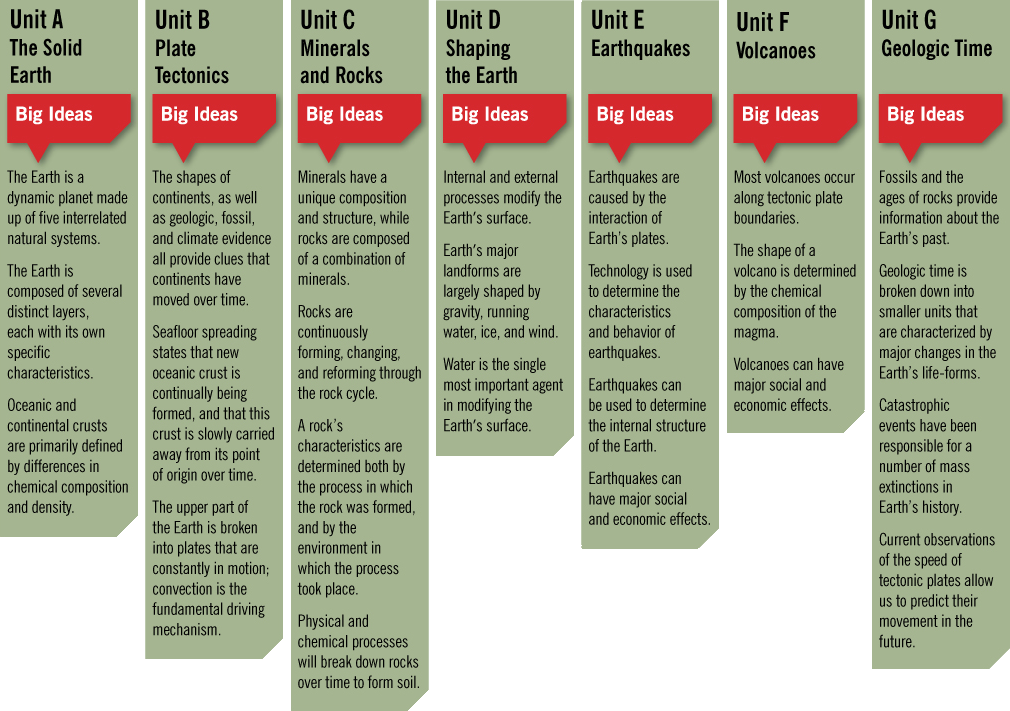 The Big Ideas that define each Unit of study.
Units are divided into individual lessons.
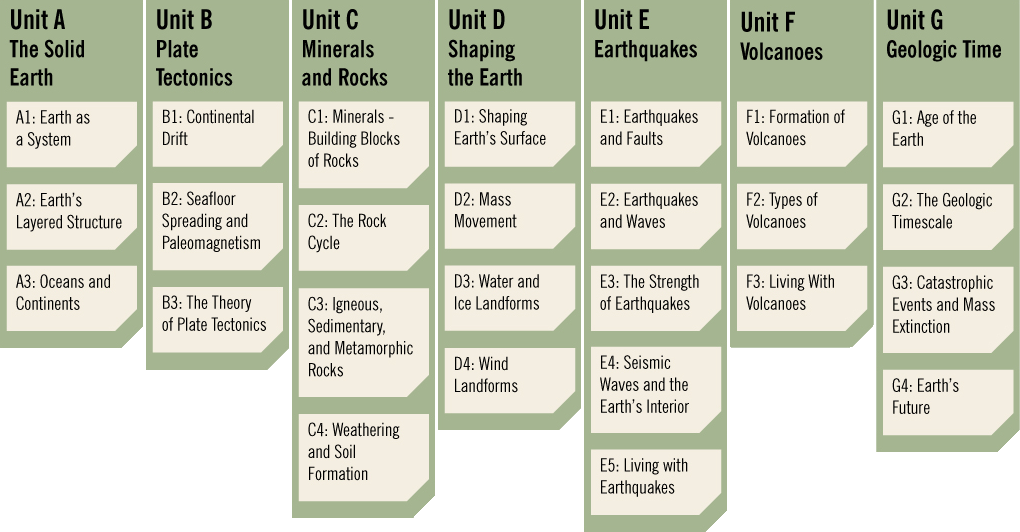 Lesson list for each Unit in The Layered Earth.
Welcome Screen
The EarthGuide welcome screen contains five options.
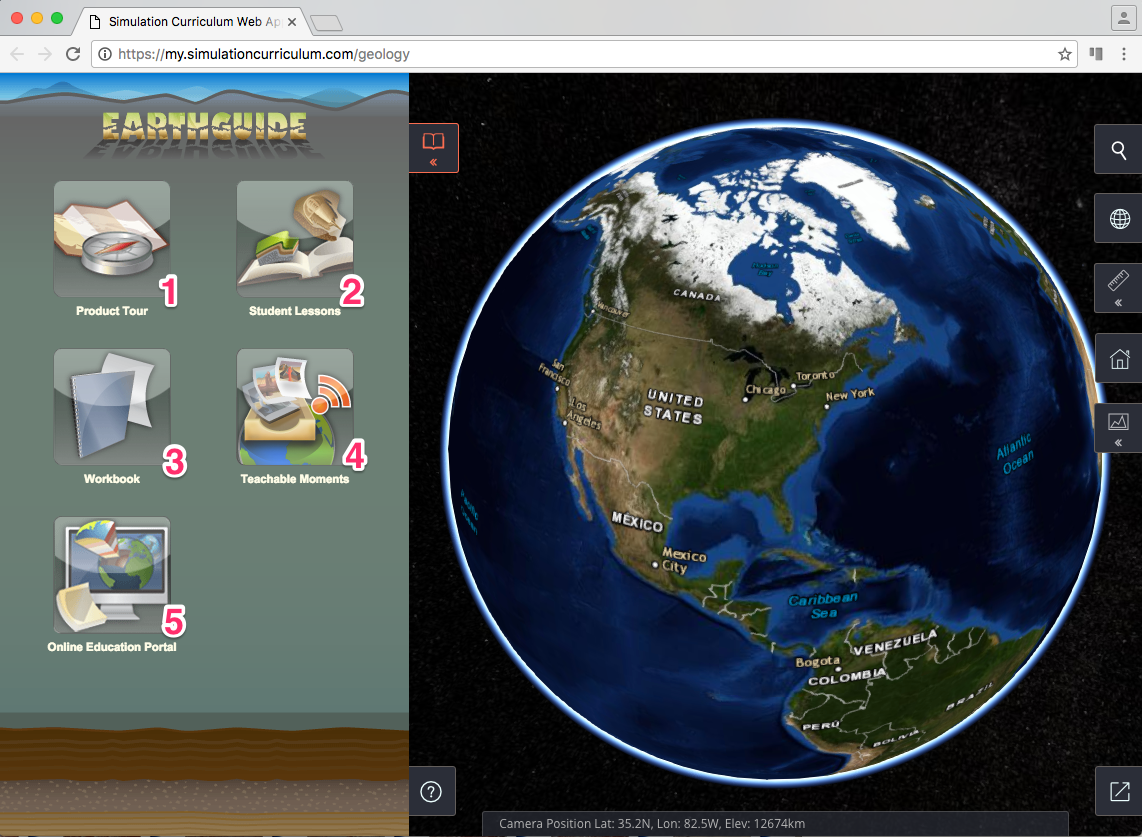 The Layered Earth Welcome screen.
- Product Tour: An overview of the main features of the The Layered Earth and how content is organized.
- Student Lessons: The student lessons organized by units of study.
- Workbook: A collection of lesson summaries and question worksheets for self assessment in PDF format that students can open and print out. \
- Teachable Moments: Extra lessons on recent Earth events.
- Online Education Portal: Online link to The Layered Earth education website (internet connection required).
Student Lessons Screen
Clicking on the Student Lessons link on the EarthGuide welcome screen loads the Student Lessons screen.
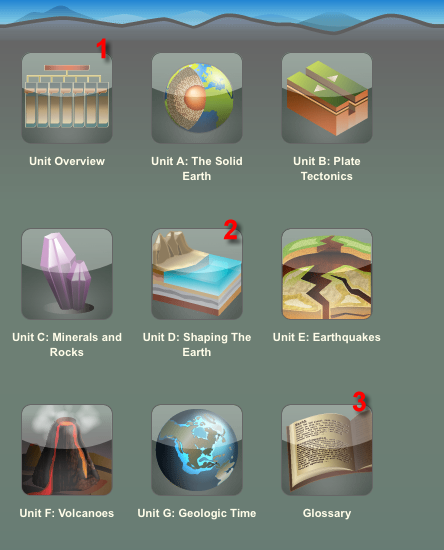 The Student Lessons screen.
- Big ideas for each unit along with a list of all lessons organized by unit.
- Contains the lessons.
- Definitions of terms used in the lessons.
At the Unit Level
Each unit is organized in three sections: Get Ready, Unit Lessons, and Wrap Up. You should start with the Get Ready section before moving on to the Unit Lessons. After you complete the lessons, the Wrap Up section allows you to self-assess knowledge gained and perform an optional unit activity.
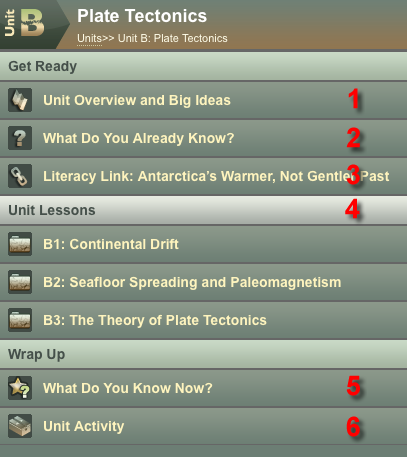 Unit level screen.
1. Get Ready
- Unit Overview and Big Ideas: Description of the topics covered and the big ideas that will be introduced.
- What Do You Know Already: Use the questions to see what you already know before you start the unit.
- Literacy Link: Engages curiosity in the topic and develops literacy skills.
2. Unit Lessons
- A list of individual lessons in the unit.
3. Wrap Up
- What Do You Know Now: Consider whether you have changed your opinion about the answers given in What do You Know Already.
- Unit Activity: Apply what you have learned and develop science process skills.
At the Lesson Level
Each lesson provides a clear articulation of learner expectations through the use of an introductory Guiding Question, bulleted Key Concepts, and a Lesson Summary highlighting the main points in review.
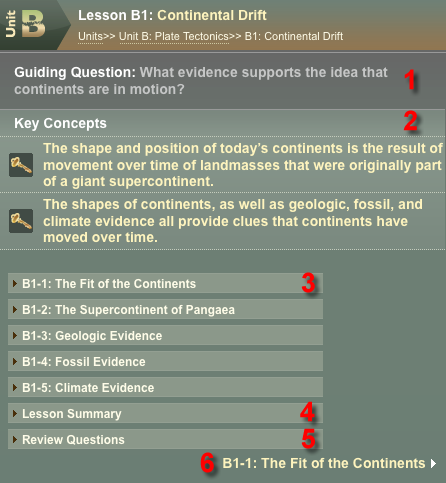 Lesson level screen.
- Guiding Question: The key question you should be able to answer at the end of the lesson.
- Key Concepts: Outlines the main ideas and skills you will learn.
- Lesson Sections: Previews the main topics in a lesson.
- Lesson Summary: Quick summary of the main ideas to help you review what you have learned.
- Review Questions: Complete these questions to ensure you understand the concepts you have just learned.
- Next Page: Loads the first section of the lesson.
At the Lesson Section Level
The lesson section screens provide an attractive learning environment with clear and easy to follow progression of concepts.
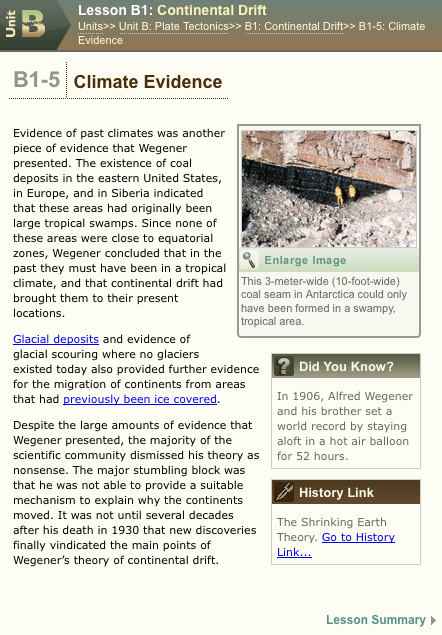 Lesson section screen.
Each lesson screen has a variety of features (topic-dependent) that can include:
- Interactive animations that you can manipulate to reinforce concepts.
- Numerous links and extensions for a rich learning environment that provide connections to mathematics, literacy, history, travel, and STSE (Science, Technology, Society, and the Environment).
- Learning activities.
- Did you know?: interesting facts that keep you engaged in the lesson.
- Roll-over definitions of terms
- Supporting media including:
- Tables
- Diagrams
- Images
- Videos
Thank you and enjoy using The Layered Earth.